Title: Training
Post by: LW_Tornado on November 16, 2002, 12:27:31 pm
Due to the increased requests for training along the lines of full real flight and Sqaud scrims, I feel its only right to train on full reall gunnery as well as for those who use padlock ill refer to King for info on the padlock followed by a interim squad scrim , if enough of us are around. So, if i confused anyone its like this sunday if approved.
1.Full real cockpit gunnery
2.Full real padlock training (I admit i need this one , dont use it.)
3.Full real interim Sqaudron scrimage. (preferably 4v4 right ?)
S~ Dudes
TX-Tornado
Blue 3
TX Squadron TO
1.Full real cockpit gunnery
2.Full real padlock training (I admit i need this one , dont use it.)
3.Full real interim Sqaudron scrimage. (preferably 4v4 right ?)
S~ Dudes
TX-Tornado
Blue 3
TX Squadron TO
Title: Re: Training
Post by: TX-Zen on November 16, 2002, 02:02:37 pm
S~ Tornado,Full real gunnery training is approved, followed by a 4 vs 4 full real internal scrim if we have enough pilots available. 6 OutTX-Zen"Black 6"TX Squadron CO
Title: Re: Training
Post by: LW_Tornado on November 16, 2002, 02:34:35 pm
and padlock as well, skydiver and kingsnake both have strong feelings towards padloc, if ican help, lets do it.S~Blue 3
Title: Re: Training
Post by: TX-Kingsnake on November 16, 2002, 08:00:45 pm
2. Padlock training Padlock is the hands off tracking of a target. Engaging padlock will track the target in your center of view with a triangle icon until a direct line of sight is obscured or lost. In reality, the pilot can move their head and follow the target with their eyes. In a sim, the pilot must follow the target with a mouse, keyboard, hatswitch, track IR, or other mechanical device. Tracking a target by mechanical means requires a hand or thumb, and a fair amount of 'mental overhead'. The cheap version of tracking a target is using your mouse, while purchasing equipment for several hundred dollars, such as a track IR, is the high-end. Padlock, is a built in feature of the game and is comparable in effectiveness. Padlock creates an even playing field, so that advantage isn't given to those with an expensive mechanical device. Several options are available for tracking targets. Refer to your control settings in game. The following is a list of padlock options. Take a moment to program each of these to your preference after reading this thread. Write your mapped padlock controls down and sticky note to your monitor during training. As important as turning padlock on is turning padlock off. The concept to padlock is cycling. This is where most pilots loose situational awareness. Failure to disengage padlock can result in disorientation and loss of control. Once you are comfortable cycling padlock you will notice that your turning performance and energy conservation will increase. Padlock is not a replacement for your view controls. It is used in conjunction with your mechanical tracking device. 17. Reworked padlock target selection and cycling procedures.18. Increased the padlock maximal distances to 5 km for aerial targets, and 7 km for the ground ones.19. The padlock now activates only if the target is truly visible.20. The padlock triangle marker is now drawn even when the icons are off. It is possible to switch the marker off by using the difficulty settings. If you wish to switch off this triangle marker while in fully realistic mode, utilize the setting toggle located in the Misc. section under 'Toggle Icon Types'.21. In addition to the clouds, the padlock now is now obscured by the cockpit frame as well as the aircraft wings and landscape elevations.sourcehttp://www.il2sturmovik.com/games_elts/updates.phpPadlock Enemy Padlocks the closest enemy object (aircraft or vehicle) within a three (3) kilometre range and within the current field of view. Padlock is lost when this object goes beyond the natural field of view or fly's into cloud. With 'No Icons' selected under the 'Difficulty' settings, padlock will not differentiate between friendly or enemy. Padlock Friendly As Above, for friendlies. Padlock Enemy Ground Padlocks the closest enemy ground object. Padlock Friendly Ground As Above, for friendlies. Padlock Next Next object in selected padlock mode. Padlock Previous Previous object in selected padlock mode. Instant View Forward with Padlock With an object padlocked, this keypress momentarily focuses to a forward / instrument view and back to the padlocked object upon release. External Padlock, Enemy Air Specific padlock option. External Padlock, Friendly Air As Above. External Padlock, Closest Enemy Air As Above. External Padlock, Enemy Ground As Above. External Padlock, Friendly Ground As Above. External Padlock, Closest Enemy Ground As Above. sourcehttp://ham.dogfighter.com/features/011018.htm Theory of enemy air engagement:Note: I recommend this be mapped to your flight stick. Padlock is a quick action item...Reaching for the keyboard doesn't cut it here.
- A) Scan the air for contacts. Looking left to right, up and down. Rolling to check below you. Turning to check rear quarter.
- B) Contact sighted. Move to intercept. At < 5K look directly at contact with direct line of sight and engage padlock on contact.
- C) Verify friendly or enemy.
- D) Establish gun solution. Zoom view. Shoot to kill. Zoom out. Disengage padlock.
- A) Scan the air for friendlies.
- B) Contact sighted. Move to form up. At < 5K look directly at contact with direct line of sight and engage padlock on contact.
- C) Verify friendly or enemy.
- D) Move into your slot, disengage padlock, scan for enemy contacts.
- A) Scan the ground for contacts. Cycle padlock as you scan. You will pick up ground targets with padlock before you establish visual contact.
- B) Contact sighted. Position for attack.
- C) Zoom view. Shoot to kill. Zoom out. Disengage padlock.
- D) padlock friendly ground, same as Above, for friendlies.
- A) This allows you to switch padlock targets when multiple targets are in your direct line of sight. For simplicity, I do not use this in dogfights. I commit to one target until I loose a solution. You might use this in a coop mission when you are engaging a flight of 4 Pe-8s, and you have time to switch targets as you get closer. Or, you need to cycle through ground targets.
- A) Used primarily for defensive maneuvers. A bandit is behind you, establishing a gun solution.
- B) Engage external enemy air padlock, take evasive maneuvers.
- C) Disengage external enemy air padlock if your aircraft obscures your view of the bandito.
- D) External Padlock, Friendly Air As Above.
- E) External Padlock, Closest Enemy Air As Above. [c]F) External Padlock, Enemy Ground As Above.
- G) External Padlock, Friendly Ground As Above.
- H) External Padlock, Closest Enemy Ground As Above. [/*]
Title: Re: Training
Post by: LW_Tornado on November 16, 2002, 09:24:07 pm
WOW, u go Jakus !!! S~S~ TX-TornadoBlue 3
Title: Re: Training
Post by: TX-Kingsnake on November 17, 2002, 02:10:39 am
Steps to ground attack padlock.A) Scan the ground for contacts. Cycle padlock as you scan. You will pick up ground targets with padlock before you establish visual contact.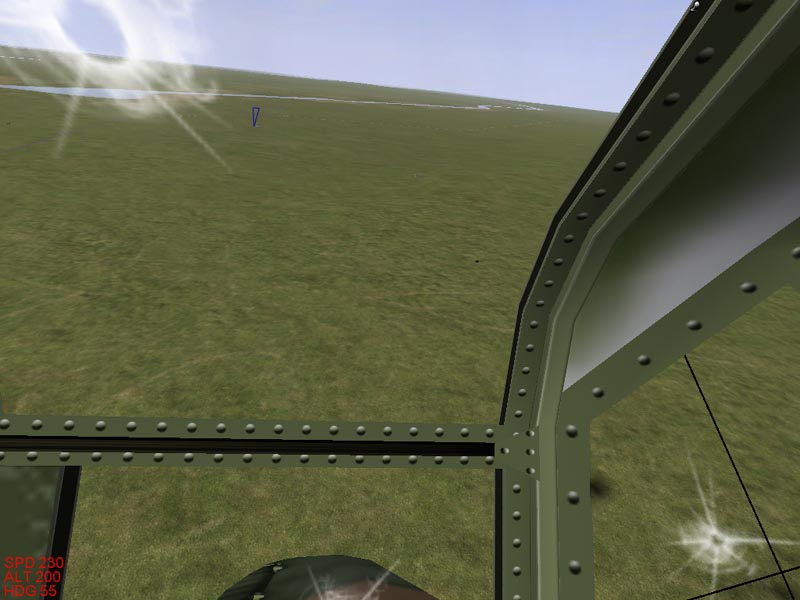 B) Contact sighted. Position for attack.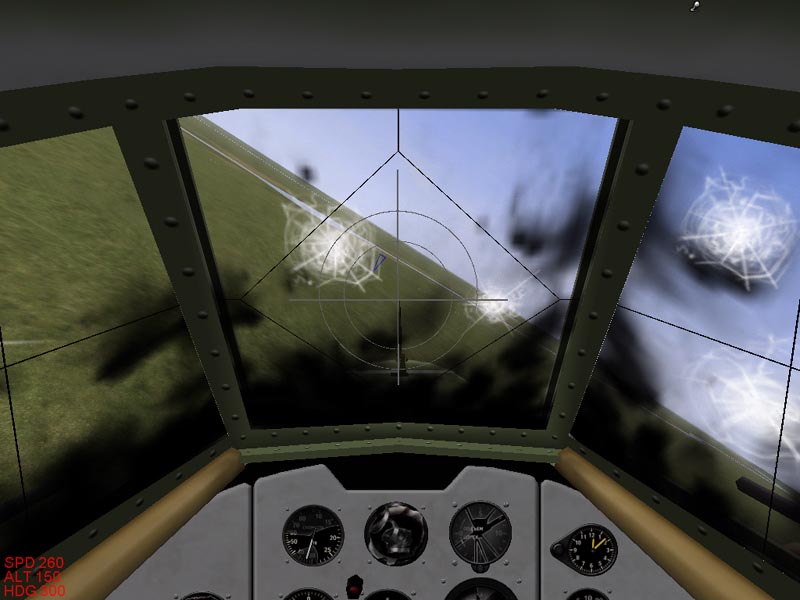
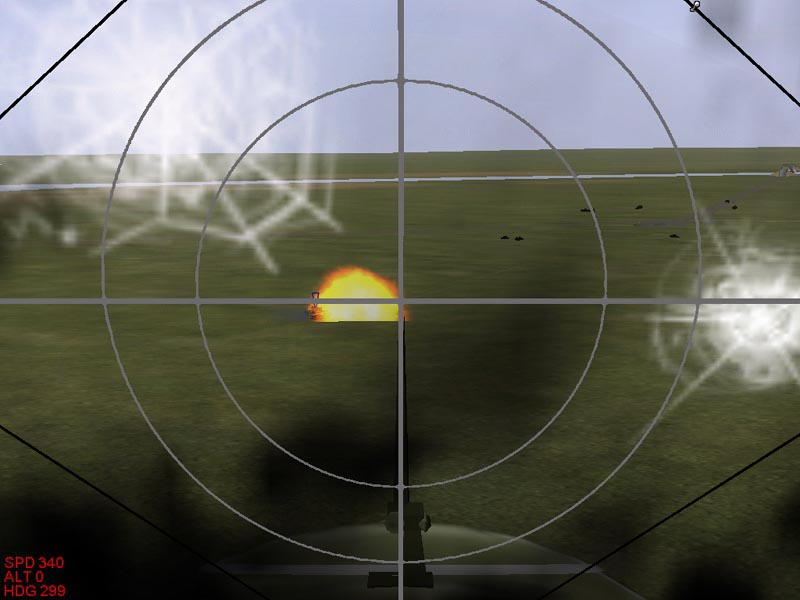 C) Zoom view. Shoot to kill. Zoom out. Disengage padlock.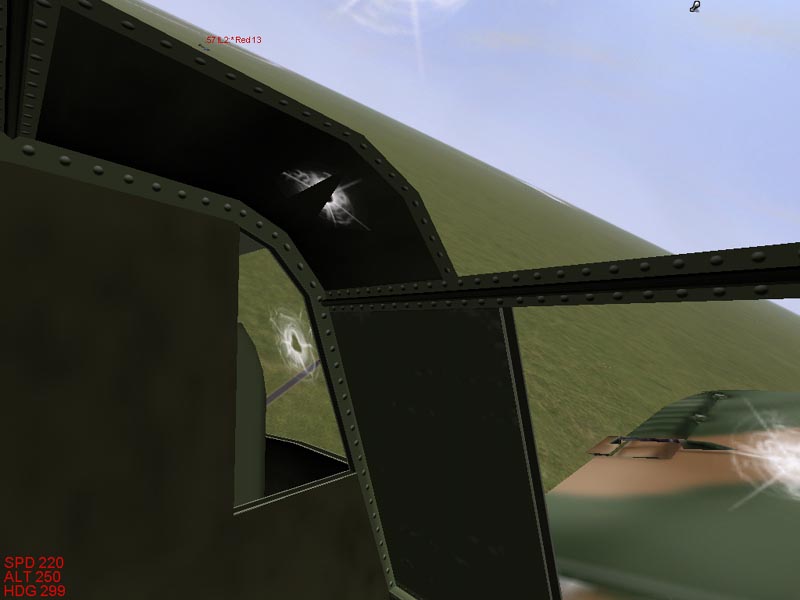
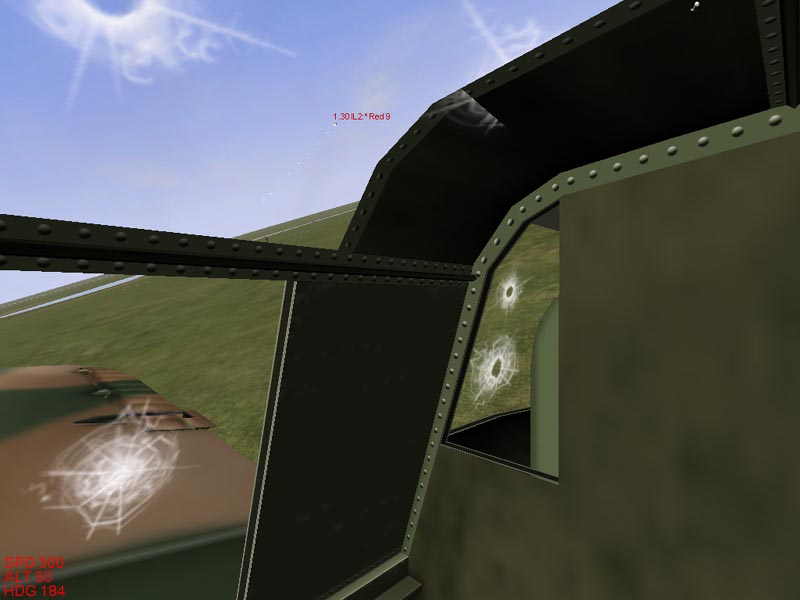 Note: As you pass by the target, padlock looks left then right scanning for the target, then disengages. You can disengage padlock to prevent this side to side scanning at any time.Regards,TX-KingsnakeWhite 1
B) Contact sighted. Position for attack. C) Zoom view. Shoot to kill. Zoom out. Disengage padlock.Note: As you pass by the target, padlock looks left then right scanning for the target, then disengages. You can disengage padlock to prevent this side to side scanning at any time.Regards,TX-KingsnakeWhite 1Title: Re: Training
Post by: TX-Kingsnake on November 17, 2002, 02:18:39 am
These are the training coops we will go over on sunday. Download and unzip to your coop directory. Practice each mission before training.  (http://"pop_download.asp?mode=Edit&dir=TX-Kingsnake&file=246")Regards,TX-KingsnakeWhite 1
(http://"pop_download.asp?mode=Edit&dir=TX-Kingsnake&file=246")Regards,TX-KingsnakeWhite 1