Title: PBY TX skin in progress
Post by: TX-Rahman on July 07, 2003, 05:52:15 pm
To those of you who may have seen the vulgar attempt at my PBY in another topic... Here's the updated skin....in progress....working out the kinks....
First the original attempt....lol

and now the updated...more TX like skin I'm tweaking...
Shot #1

Shot #2

Shot #3

 w00t!!
Regards,
TX-Rahman
"BLUE 2"
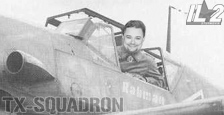
First the original attempt....lol
and now the updated...more TX like skin I'm tweaking...
Shot #1
Shot #2
Shot #3
w00t!!Regards,
TX-Rahman
"BLUE 2"
Title: Re: PBY TX skin in progress
Post by: Seeker on July 07, 2003, 06:57:43 pm
Very Nice! I just got photoshop two weeks ago and have been trying to duplicate the TX cammo and lettering. It's not as easy as it looks. Is there any way to save the cammo scheme as a pattern? Both light and dark elements? That would make it soooo much easier. I also have no idea how you got the lettering with the white outline. What font/effects are you using? I just cut my name out of a 109 and saved it for my skins....Photoshop is extremely addictive. I've been painting more than flying lately. I'm currently trying to get a TX Hurri skin painted.S!TX-SeekerBlack 4
Title: Re: PBY TX skin in progress
Post by: TX-Rahman on July 07, 2003, 07:06:53 pm
Seeker, I guess I should have announced it....the hurricane skins have been done for a few days now! Hit the FTP to get yours! The name on the wing is a font called impact. The outline is done by double clicking on the text layer after it is done and clicking on an effect called "stroke"....
 Regards,TX-Rahman"BLUE 2"
Hit the FTP to get yours! The name on the wing is a font called impact. The outline is done by double clicking on the text layer after it is done and clicking on an effect called "stroke"....Regards,TX-Rahman"BLUE 2"Title: Re: PBY TX skin in progress
Post by: TX-Chukar on July 07, 2003, 10:54:05 pm
Nice work Rah. By the way, does anyone have a military font like the one in the TX-Squadron logo?TX-ChukarBlue 1
Title: Re: PBY TX skin in progress
Post by: TX-Rahman on July 08, 2003, 06:23:26 am
Chukar, I have it at home....we'll hook up tonight and I can get it to you...Regards,TX-Rahman"BLUE 2"
Title: Re: PBY TX skin in progress
Post by: Seeker on July 08, 2003, 02:20:15 pm
Thanks for the tips RAH. I don't have the 'stroke' effect in photoshop elements. The closest I can come is with a med. outline like so:*Pic Removed*With a little blurring or grain I think it'll be passable. Thanks for the Hurri. I might have to start flying it now...haven't really given it a chance yet. I tend to stay away from the batplanes, but I know they've taken me down more than once!S~TX-SeekerBlack 4
Title: Re: PBY TX skin in progress
Post by: TX-Deck on July 08, 2003, 03:11:34 pm
I used to type the words, then right click the layer and select "effects". If I recall the effect used was "outer glow". I will confirm this asap from the house. There were some specific settings that yielded good results.TX-Deck out.
Title: Re: PBY TX skin in progress
Post by: Seeker on July 08, 2003, 04:25:48 pm
This is with outer glow...I think it's better. Though I had to bleed out the yellow default color, it works. Thanks!TX-SeekerBlack 4edit: guess I should have renamed the file...oh well.
Thanks!TX-SeekerBlack 4edit: guess I should have renamed the file...oh well.Title: Re: PBY TX skin in progress
Post by: LW_Tornado on July 08, 2003, 05:03:53 pm
Rah and Deck, how are your skills at weathering effects ?The PBY has some good areas foe weathering behind the motors, all our planes the older they are should have alil weatherin on em ;).S~T-Dawg
Title: Re: PBY TX skin in progress
Post by: TX-Deck on July 08, 2003, 07:03:08 pm
Seeker, that is it, nice work. TX-Deck out.
TX-Deck out.