August 02, 2026, 04:14:45 pm
Return to TX-Squadron Main Site
Home
Help
Search
Login
Register
Username:
Password:
>
IL2 Community
>
IL2 Announcements
>
Orbiter sim
Pages: [
1
]
« previous
next »
Print
Author
Topic: Orbiter sim (Read 2363 times)
TX-EcoDragon
BLACK 1
Administrator
Hero Member
Offline
Posts: 3034
G's Please
Orbiter sim
«
on:
September 29, 2004, 01:37:31 pm »
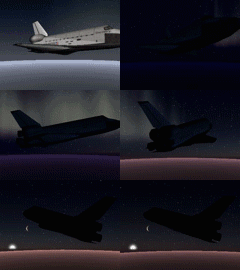
http://www.medphys.ucl.ac.uk/~martins/orbit/orbit.html
I know king at least is into this sorta thing. . . read the manual. . . try it out. . .
S!
TX-EcoDragon
Black 1
TX-Squadron XO
Logged
S!
TX-EcoDragon
Black 1
TX-CUDA
BLACK 8
TX-Member
Hero Member
Offline
Posts: 1730
Re: Orbiter sim
«
Reply #1 on:
September 29, 2004, 09:12:45 pm »
...Thanks for the link to the sim Eco. I downloaded everything they had and loaded it up on my J drive.....BE FORWARNED!! READ THE INSTALL INSTRUCTIONS BEFORE YOU TRY IT OUT!........it did a number on my graphics settings...especially the overclocking software (Rage3Dtweak 4.01)...just got her back up to snuff. Not sure what I missed when I read the .pdf manual but I'll go back and see what I missed. When I went to fly the mission to the space station...or so I thought...it put my display settings at 16bit,800x whatever.......I'll play with this after I read the brief.......and not get in such a hurry!!TX-CudaMinister of Information
Logged
TX-Cuda
Minister of Information
<img src="
http://miniprofile.xfire.com/bg/bg/type/2/txcuda340.png
" border=0>
TX-Kingsnake
WHITE 3
TX-Member
Hero Member
Offline
Posts: 1588
Re: Orbiter sim
«
Reply #2 on:
September 30, 2004, 07:04:41 pm »
You need to create a directory, I called mine orbiter, and unzip to it. The settings setup and install are easy after that. I tried to play around but I didn't get anywhere. Interesting idea.
TX-KingsnakeBlack 6
Logged
TX-Kingsnake
Pages: [
1
]
Print
« previous
next »
Jump to:
Please select a destination:
-----------------------------
Community Chat
-----------------------------
=> General Discussion
-----------------------------
IL2 Community
-----------------------------
=> IL2 General Chat
=> IL2 Announcements
=> IL2 Racing Forum
=> IL2 Screenshots Galore!
=> IL2 Skinners R Us
=> IL2 Map Maker's Room
=> TX-Squadron Recruitment Info
=> TX-OC3 Server Changelog
=> IL2 Troubleshooting & Tweaking
=> Aircraft Performance/ Characteristics
-----------------------------
Il2:Cliffs of Dover (Formerly SOW:BOB)
-----------------------------
=> Cliffs of Dover General Discussion
=> CoD Technical
=> Flying and Fighting Notes CoD
=> CoD Screenshots and Videos
-----------------------------
War Thunder
-----------------------------
=> General Discussion
-----------------------------
DCS: Black Shark/A-10/P-51/etc Community
-----------------------------
=> DCS:General Chat
=> DCS: Performance, Troubleshooting & Tweaking
-----------------------------
Formation and Aerobatics
-----------------------------
=> Sim Aerobatics Forum
-----------------------------
COD/BF2 Community
-----------------------------
=> CoD/BF2 General Chat
=> CoD/BF2 Mods and MapMakers Forum
-----------------------------
Computer Hardware Forum
-----------------------------
=> The Gear Shop & Marketplace
=> Cockpit Builders Unite!
-----------------------------
R/C Forums
-----------------------------
=> R/C Chat Forum
-----------------------------
Real World Aviation
-----------------------------
=> Real world aviation
=> Flight Physics Discussions
-----------------------------
General Aviation Sim Forum (Prepar3d, FSX, X-Plane etc)
-----------------------------
=> Soaring Sims
=> General Aviation Flight Simulators
=> General Aviation Flight Sim Training Academy
-----------------------------
Rise of Flight & WWI Aerial Combat
-----------------------------
=> WWI Flight Sim Announcements
=> WWI General Discussion
=> RoF Troubleshooting & Tweaking
=> Rise of Flight Mission Builders Forum
Loading...