|
TX-EcoDragon
|
 |
« Reply #45 on: April 22, 2007, 08:23:31 pm » |
|
Steve, it looks like you found a really old post to read. . the Northwood and Prescott chips are Pentium 4's. We've got "Conroe" cpus so ignore the temp and vCore info. For our chips I'd consider 1.5v the absolute maximum core voltage, for mine personally I don't want to use much over 1.4 to 1.45 volts. Many hard core OCers don't care if their cpu's longevity is reduced since they will upgrade long before it matters and so they run over 1.5 without worry as long as temps aren't super high. Speaking of temps, you should get a program like orthos blend which taxes the system and BOTH cores of your CPU, and then a program like the intel thermal analysis tool or core temp and be certain that temps do not go much over 50 degrees C. Some people are comfortable with 55C, me, I stay under 50. This is for determining the actual stable conditions for your overclock. In most games and sims your machine will not be taxed so fully, but it's nice to have a little buffer above what my machine actually runs in sims, at least for me. Also, remember that some programs read the temps away from the core, and others read at the core. . .55C off the core means on the core it's higher than that!Oh, and you don't change the multiplier on conroe chips other than the X6800 Extreme. . .the E6600 can't go higher than 9x. So for example, 400*9=3.6 GHz, and that's the sweet spot if you can get it while temps stay safe, and voltages required aren't in the red zone. Generally you want to start slowly increasing the FSB from the default 266.67MHz (2.4 GHz), be certain to check the settings for your memory as you don't want to push your RAM to an overclock at this point, it's best to find the vCore, and motherboard voltages while keeping RAM out of the equation. As you increase the FSB just watch your final RAM clock and either unlink them or lower the RAM divider to something to ensure your RAM isn't overclocking as you OC the cpu. You are almost certain to be safe with the E6600 going right on up to 2.7 GHz right away. . .so that would be 300 MHz FSB for your first OC, and you should still be at stock voltages on everything probably up to around 3.0 GHz (333 MHz FSB). At around 2.7 GHz you should run Orthos Blend and monitor the temps the entire time and watch to be certain they stay in the safe range. After a little while of watching it (say 15 minutes) the temps will probably already have reached whatever peak values they will reach. Many people who have more patience than I do will run Orthos for 8 hours at each OC setting to verify stability. Orthos will feedback errors if harware is getting wonky, or the machine may just reboot, in either case, when that happens you have OC'ed beyond what the current voltages can manage, so then it's time to bump the vCore up a notch and do it again at the same FSB and see if that did the trick. Pay particular attention to temperatures after any voltage increases. Also run Orthos for a while after one of these failures to verify that it's actually a stable OC. Also, be SURE that after one of these failures it isn't your RAM being OC'ed along with the CPU. If you had a P965 motherboard I'd be better able to help you, as myself, and most of the overclockers on those forums have the 965s. There are of course people running the eVGA boards, but it will take a little more searching. Get Orthos here: http://sp2004.fre3.com/beta/beta2.htmS!TX-EcoDragonBlack 1TX-Squadron XO |
|
|
|
|
 Logged
|
S!
TX-EcoDragon
Black 1
|
|
|
|
|
|
TX-ScubaSteve
|
|
« Reply #47 on: April 23, 2007, 05:32:19 pm » |
|
Thanks Eco very much for the tips. I haven't yet tried OCing the CPU yet. For one thing, I've noticed you've used the term "ram divider"... I assume you're referring to the ratios for FSB to Memory? Is there an advantage to using a specific "ram divider" vs. simply unlinking the memory, and giving it a specific frequency, regardless of the fsb? Or is it better to keep the frequencies in some kind of phase with each other?I've also been trying to play with my GPU clocks, as I mentioned earlier. Last night I tried ATITool, and found that I could only get 629Mhz on the core, and 1,073Mhz on the memory! Which was weird--complete opposite (practically) of what I was getting with nTune; where I was getting a relatively high core speed, but hardly any improvement in memory speed. I'm trying out RivaTuner, but that's not quite so user friendly, and I'm unsure how to proceed with that--guess I need to do more studying on that.What's the advantage of using orthos blend, vs. say, NVMonitor? I guess it looks for glitches in hardware, and not just takes temperature readings?Thanks again, and for the links... I'll be checking those out...S!TX-ScubaSteveWhite 4
|
|
|
|
« Last Edit: April 23, 2007, 05:35:11 pm by TX-ScubaSteve »
|
Logged
|
|
|
|
|
TX-EcoDragon
|
|
« Reply #48 on: April 24, 2007, 04:27:39 am » |
|
The Ram divider thing is simply a ratio between the system FSB and the RAM speed. Some feel that the 1:1 ratio is the best, even though at many FSBs it will underclock the RAM. In the case of the 680 boards I guess you can set whatever you want as the ram clocks and if there is a divider option set that to 1:1, and set the RAM at a conservative clock value for now to ensure that the system is nice and stable and the only variable is the cpu. Once you have found the max OC for the CPU then start in with the RAM.As far as OCing the video card, the only program that I use is RivaTuner as it's got a powerful and yet simple enough interface and a hardware monitoring page that plots data while running benchmarks or games and lets me watch temps over time and plot that data along with the core and mem speeds. It also seems to be accurate at reading clock settings and such. Some other programs (even nTune) have given me wonky numbers that didn't make much sense. You seem to be using a lot of automated overclock utilities, and they really aren't much use IMHO. They tend to be random and lead to unstable overclocks, and in some cases, dangerous overclocks as they don't factor in temperatures in any consistant way. Using RivaTuner it's a simple matter of setting a core and a clock value and then running the hardware monitor while a benchmark or sim runs. . .if no artifacts appear, and if temps stay in a safe range then you are good to go. Once again, don't OC memory and core at the same time,just do one at a time, find a stable value on one before proceeding to the other. Orthos doesn't give you and feedback on the system unless there is an error. All it does is run multiple instances of Prime 95, a program that is used to find new prime numbers. . . but also serves to stress the machine fully. This allows you to then run other programs to monitor the system temps and voltages etc. while under load. . .which is all that matters. If Orthos doesn't fail after an extended run, and if temps stay safe, then you can be certain that in most programs the machine will be rock solid, as they won't usually task the machine so fully. S!TX-EcoDragonBlack 1TX-Squadron XO
|
|
|
|
|
Logged
|
S!
TX-EcoDragon
Black 1
|
|
|
|
TX-EcoDragon
|
|
« Reply #49 on: April 27, 2007, 01:38:21 am » |
|
These were PMs from Steve that I decided to reply to here, I hope you don't mind Steve!----- Replied Message -----I ran my cpu up to 3Ghz, but temps eventually got up to 56C... so I stopped the test. Makes me wonder if my heat sink is put on right. It idles (even at stock settings) at 35 to 38C. Of course, ambient temperatures are a little high right now, as my airconditioning isn't working, and it's about 85F in here. ---- Replied Message -----Well, if your room is 85 that might be a factor, I'd still expect lower temps at 3GHz. What is your load temp at stock clocks? Also have you upped the vCore? If it's at auto you might want to set it manually to 1.325v. If it's Auto who knows what it's gonna do. ----- Replied Message -----Well, airconditioning is working now... but I think setting it to 1.325V was a good idea. At 3Ghz, it only got as high as 46C after 20 minutes. Keeping it at 1.325V, but lowering the frequency to 2.4Ghz, it maxed out at 39C.I did some research on apply thermal grease, and such... and I don't know... I think I did it right the first time... but maybe I should get the slightly larger CNPS9700. I would like to hit 3.4... Perhaps if I get ArcticSilver grease instead as well?----------------------------- That's a little better. . .those are load temps right (with orthos running while checking the temps)? I tend to keep my house around 72 degrees, and my system peaked at 39C at 3 GHz while running orthosat 3.105GHz it hit 41C3.2GHz peaked at 42C3.303 required a vCore of 1.3650v and hit 44C3.402 required a vCore of 1.425v (as set in BIOS, it's 1.38v to the core under load) and the temps hit 45C3.502 required a vCore of 1.475v (1.42 under load at the core) and this time temps hit 52CThe point is, you can see how vCore bumps start needing to be bigger, and how the temp jumps start increasing a lot as you continue to OC. To me, this point where there is an obvious increase is the place at which I don't want to go much beyond for a 24/7 overclock. Part of the temp differences that you and see may be attributed to my case, which has excellent cooling, I've got ArticSilver5 thermal compound on it, I did the rather annoying work of lapping the face of the heatsink (ugh), my CPU heatsink is also pretty much the best out there, and then of course the CPU itself may simply run cooler.If I were you, I'd probably just stick with what you have now, but if you do buy a new cooler I wouldn't get another Zalman. . .they are nice coolers, but if you are going to go through the trouble of buying a new one and taking your mobo out and all of that, then you should get the best you can get (which isn't any more money either). The TuniqTower or the Thermalright Ultra 120 Extreme are certain to lower your temps, but you have to decide how much trouble an extra 200 or 400 MHz are worth to you. *********************S!TX-EcoDragonBlack 1TX-Squadron XO
|
|
|
|
|
Logged
|
S!
TX-EcoDragon
Black 1
|
|
|
|
TX-EcoDragon
|
|
« Reply #50 on: April 27, 2007, 01:41:13 am » |
|
----- Replied Message -----Well, I got up as high as 3.42ghz on my cpu. But at 1.5v the cpu would get an error a few minutes into the ortho test. Temp was at 55C. So, I lowered it to 3.4, and ran ortho for 45 minutes no problem. Temp varied from 54 to 55C. Of course, my room is cold--65F. In any case, it looks like I've hit my upper limits for both temp and volts at the same point. Though not sure what happens if I let the room warm up to a more comfortable 73F. The Fry's salesman talked me into getting a 2 year store warranty for the cpu and motherboard, explaining they'll swap it out should it fail--no questions asked--unless there's physical damage. So, I'm not quite as concerned about keeping it under 50C. Then again, it might be nice to have some buffer... sigh... still not sure if it's worth the headache to get the larger fan, grease, etc... But maybe the fact that I've reached both limits rather simultaneously is a good sign to just keep it at 3.4Ghz.I've been keeping my FSB volts on auto, as I have no idea where to put that.As for memory, I suppose I shouldn't increase my memory volts, just frequency; as I have no idea what the voltage limit should be. I've just set volts to the specs.Well, I really do appreciate your time Eco... it's been a good learning experience.----------------------------- Good work steve! 3.4 with your system will run FSX quite well, and almost every other prgram you run will probably be seeing triple digit fps too. once I knew I could, I stopped worrying too much about going much over 3.2-3.4 as FSX will run quite nice at 3.0, and it's nice to feel like I'm running well within the comfort zone of the system. you mentioned that you got an error in orthos at 1.5 volts to the core, and that you dropped it to 3.4, but you didn't mention if you lowered the vCore. It's the vCore that will drive your temps up, so try to lower the vCore at 3.4 GHz as low as you can without any orthos errors, and then make a note of that value. That should drop your temps, and hopefully let you raise your thermostat a little! As far as the RAM, once you've made certain the rest of your machine is stable, if you overclock it a little, and then encountered stability issues, the first step is to loosen the timings a little, if that doesn't solve the stability issues, then you bump up the voltages a little. . . well that or just leave it where it is of coruse! I don't notice any real performance boost OC'ing my RAM. . .sure the benchmarks show a little bump, but I can't honestly see any real performance boost in sims or games.S!TX-EcoDragonBlack 1TX-Squadron XO
|
|
|
|
|
Logged
|
S!
TX-EcoDragon
Black 1
|
|
|
|
TX-ScubaSteve
|
|
« Reply #51 on: April 29, 2007, 09:38:22 pm » |
|
Well, thanks for the recommendation on heatsinks Eco, but I had already bought another one before I saw your post... In any case, the 30 day return policy was about to expire, so didn't really have time to order one on line, as they don't seem to be carried in the Fry's I go to.I also decided to upgrade my power supply from 700 to 750W (PC Power & Cooling Silencer 750 [$119 to $199]), and get another 80mm Case fan for the only remaining location in my case for a fan (front right side panel).I got the Zalman CNPS9700 NT. It was $20 more than the 9500LED, and $10 more than the 9700LED... for a grand total of $79. It puts out almost twice as much air as the 9500, and the only thing I could find out about why it was more expensive than the 9700LED, was that it uses both aluminum and copper. Copper for conducting heat, and aluminum for radiating heat. The aluminum is also painted black, which I figure would also help radiate heat. I also bought some Artic Silver 5.I also noticed that the contact plate of the 9700NT was polished like a silver mirror; where as the plate on the 9500 was just machined copper.I also took out my two other hard drives (as I figured they were blocking my 140mm fan in the front of the case; generating additional heat; and would also allow me to yank the IDE cable out as well). The 8800GTX though is not only longer than the GTS, it takes up the entire length of my case, and basically acts as a partition between the front 140mm fan and the CPU, Power supply, exhaust fan. Perhaps it helps keep the GPU cooler though.In any case, my CPU now runs a whopping 1C cooler (54C) than before.***EDIT*** Several hours of rebooting and stressing the computer, I started noticing temps dropping about 8C cooler than beforeI think my case was not the best designed. I have one 140mm fan in the lower front, an 80mm exhaust fan just below the power supply, an 80mm exhaust fan over the CPU (left side case); an 80mm intake fan right over the GPU; and an 80mm fan on the right panel near the front. I think the design could probably have used a couple more exhaust fans in the back and a couple more 140mm fans in the front. Well, maybe it was just designed for a water cooling system... I dunno.Oh yes, I also got Intel's TAT, which gives a temperature readout for both cores. Core1 runs consitently hotter by 3C than Core0.I was wondering Eco, when you run orthos, what Priority do you use? I've always just used the default "1". I've noticed though, with TAT, that when I run the stress test there with 100% workload, my temps jump 10C almost immediately above the temps I get maxed out on Orthos, (for a total of 65C) and my mouse pointer starts jumping around, making it quite difficult to stop the test. I know you use TAT for temperature monitoring, but wonder why you don't use TAT's stress test vs. Orthos? Should I be more concerned about TAT's stress test, and lower my cpu speed?***EDIT*** I found out that the TAT test is rather unrealistic, as it just loads all the registers with zeros; something that would never happen during any other application used on a computer.What do you mean about "lapping the face of the heatsink"?***EDIT*** I found out what this was too... and apparently my heat sink was already "lapped", because it was very smooth... could see my reflection in it just as good as a regular mirror, but with not warps.I didn't lower my volts any from 1.5V, as I figured I wasn't getting enough volts, when running at 3.42Ghz; hence the reason I dropped the FSB speed down a couple notches (since I didn't want to go above 1.5vcore), so that I'd have enough volts to maintain stability.S!TX-ScubaSteveWhite 4
|
|
|
|
« Last Edit: May 01, 2007, 10:04:59 pm by TX-ScubaSteve »
|
Logged
|
|
|
|
|
TX-ScubaSteve
|
|
« Reply #52 on: May 01, 2007, 10:42:02 pm » |
|
(See above for previous post edits).Well, after trying to OC my memory, I decided to try testing it with Ortho's Blend, instead of the simple CPU stress test; so as to stress out the memory. The tests kept failing early on, so I ended up backing off the frequency till I was back to 1066Mhz. When the tests kept on failing then, I knew my CPU settings must be at fault. I guess the "BLEND" test stresses out the CPU more than the "Stress CPU with Gromacs Core" option.With my new heatsink (after the artic silver eventually seemed to 'break-in'), I was able to clock up to 3.6Ghz just fine running the Gromacs Core option... but in the end, by using "Blend", I've had to throttle back to 3.393Ghz and 1.48V, 54C. For one thing Blend increases my temps a lot more than Gromac.I also noticed that I didn't usually get a failure till 18 minutes into the "Blend" test, when it would switch over from 1024 FFT length to 8K FFT length (whatever that means). That's when temps would go up 5C, and I would get a failure.I also found a manual for Overclocking the 680i, and it listed the maximum voltages to use, in case you'd like to know Rah: http://www.nvidia.com/docs/CP/45121/nforce_680i_sli_overclocking.pdfvCore: 1.58750vFSB: 1.5vMemory: 2.3vnForce SPP: 1.50vit suggests that all others be left on "Auto".I'm still not sure how to go about how to test the SPP frequency for stability. I'm tempted to just set it at what ntune's autotune thing came up with, but as Eco has stated, (and I've learned elsewhere too); ntune sucks for finding stability. The frequency it came up with the for the PCIe bus, was 55% higher than stock settings!S!TX-ScubaSteveWhite 4 |
|
|
|
|
Logged
|
|
|
|
|
TX-EcoDragon
|
|
« Reply #53 on: May 02, 2007, 12:27:20 am » |
|
Yes, I use Orthos Blend for stability testing, and core temp for temp monitoring while running orthos blend.Also, don't use generic voltages posted on a site unless they are specific to your ram and cpu etc. Even then, some CPUs or RAM will comfortably handle more voltage than the same model but a physically different chip. . it's sometimes a little luck of the draw. For this reason, you should find the best voltages for your setup on your own, using a methodical and patient process of increasing one setting at a time, finding the limit, and then backing off however much you feel you want to for the sake of your hardware. I like my stuff to last so I only OC when I need to (which honestly isn't much with these machines) and well within the comfort zone of my chip.S!TX-EcoDragonBlack 1TX-Squadron XO
|
|
|
|
|
Logged
|
S!
TX-EcoDragon
Black 1
|
|
|
|
TX-ScubaSteve
|
|
« Reply #54 on: May 02, 2007, 01:01:05 am » |
|
OK, I've just finished playing with my memory:The below 3DMark05 scores are the result of my CPU and Memory OCing. Video Card and PCIe bus still at stock settings:CPU: 3.393GhzMemory: 1131Mhz (Linked-Auto) 5-5-5-15-2T17168CPU: Same as aboveMemory: 753.9Mhz (Linked-Sync) 4-4-4-4-1T17229On the memory timings, I just kept the first three numbers the same; as I've never seen anyone do otherwise. On the 4th number, I reduced that till I got to 4, and didn't try any lower.I can't get down to 4 on the timings when above 800Mhz.TX-ScubaSteveWhite 4
|
|
|
|
|
Logged
|
|
|
|
|
TX-ScubaSteve
|
|
« Reply #55 on: October 17, 2007, 12:26:29 am » |
|
Just thought I'd send a picture of my computer system flying the latest from subLogic... FS2!!! 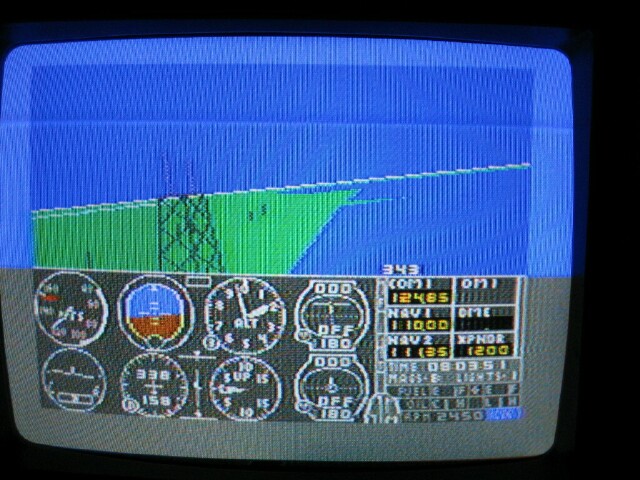 And here's the state of the art C-64 "over-clocked" at 1Mhz, averaging a sizzling ONE frame per second! 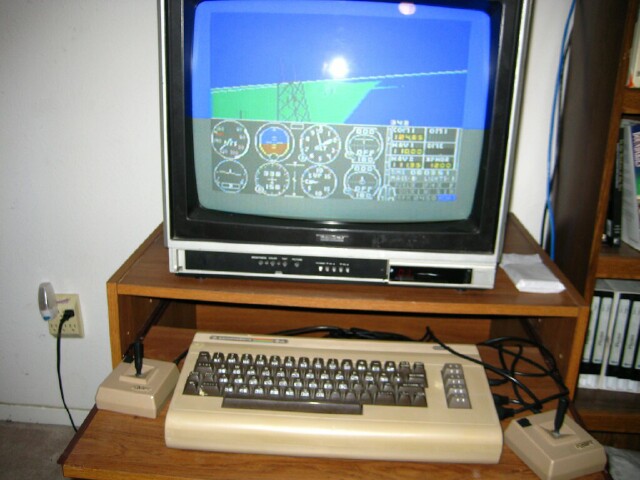 OK, here's what I actually spent my money on... and built a stand for my three monitors, as well as supports for my X-52Pro, so I can sit with them straddling my chair and at armchair level. 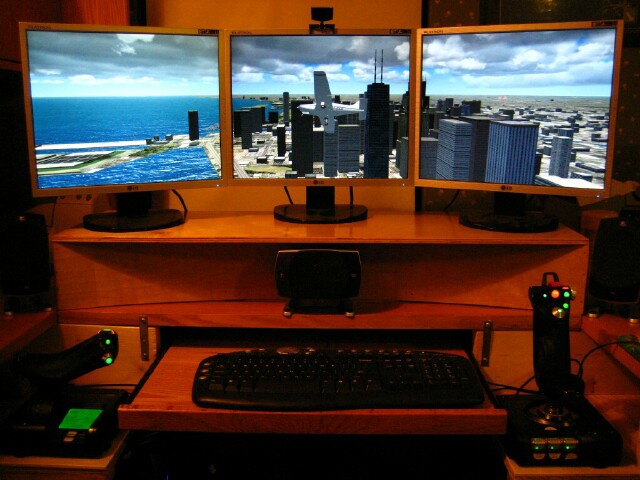 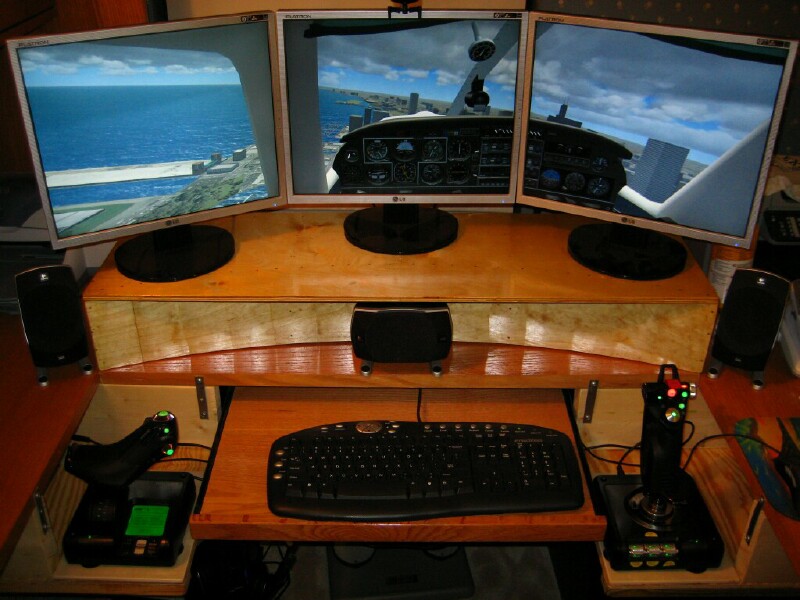 TX-ScubaSteveWhite 4  |
|
|
|
|
Logged
|
|
|
|
|
TX-EcoDragon
|
|
« Reply #56 on: October 17, 2007, 01:21:10 pm » |
|
Very Nice!!!!!!!!S!TX-EcoDragonBlack 1TX-Squadron XO
|
|
|
|
|
Logged
|
S!
TX-EcoDragon
Black 1
|
|
|
|
